
While in a recent job interview I was asked to highlight a project that I am most proud. The interviewer wanted me to point out some interesting or technically challenging aspect of the project that might not be obvious. What a great question and topic for an article, I thought, but what should I write about?
I have written many complex web applications, gadgets and widgets that I am very proud of, but sticking with the job search theme, I decided to discuss my resume/portfolio web application as it represents what I do best. I'm very happy with the overall look and feel, but I feel that it's even more impressive under the covers.
This "making of" article will highlight some things about my resume/portfolio web application that I believe make it stand out from your typical website.
I invite you to look at the source code. You will find that it may be over engineered for a simple menu driven site, but remember that the site itself is intended to showcase my work. Obviously you can do a view/source to see the HTML, but please also download the JavaScript and CSS source files. Take most note of the file framework.js which is at the heart of the entire system.
A Web Application and not a Web Page
First of all, my resume/portfolio site is really an object oriented JavaScript web application and not just a web page. Everything about the site is generated through JavaScript classes. I have built up a small framework for handling the various tasks that need to be performed.
For example, instead of manually creating the markup for a button in HTML, I make a call to a the framework helper function createButtonBase with the parent element, the CSS class, title and a pointer to an onclick "handler".
homeButton = DonavonWest.UI.createBaseButton(clientAreaEl, "home-button", "Portfolio Home Screen", homeButtonHandler);
In the example above, homeButton references the button class, not an HTML element. Member functions can be called to performs tasks like showing and hiding the button. For example:
homeButton.hide();
I've implemented hide() and show(), but a fully functional button class would likely also have the following member functions:
- click() – to simulate a mouse click
- disable() – to place the button in a disabled state
- enable() – to place the button in an enabled state
When the application is closing, a call to the button member function dispose() will tear down the class and release any resources that it has created.
homeButton.dispose();
JavaScript Namespaces
I make extensive use of JavaScript namespaces in all of the objects, functions and classes. To avoid having to use "if (!window.x)" over and over, I've written a namespace helper function which is show here:
//create our base object (don't tread on any other browser objects)
if (!window.DonavonWest){
    window.DonavonWest = {};
}
if (!window.DonavonWest.Utils){
    window.DonavonWest.Utils = {};
}

//namespace helper
DonavonWest.Utils.ns = function (ns) {
    var base=window;
    var nss=ns.split(".");
    for (var i=0; i < nss.length; i++){
        if (!base[nss[i]]){
            base[nss[i]]={};
        }
        base=base[nss[i]];
    }
};

DonavonWest.Utils.ns("DonavonWest.UI");
It's pretty simple. First I manually create the namespace DonavonWest.Utils. Then I define my ns function. From then on creating a namespace is as simple as calling ns with a string representation of the namespace to create.
CSS Namespaces
It is just as important to use namespaces in your CSS as it is in your JavaScript. It's up to you if you want to use descendent selectors and/or child selectors, but it is important that at a minimum all of your CSS created as a descendent selector underneath of your base CSS namespace. Note that the base CSS namespace will vary with the class in question (i.e. DonavonWest_WebApp vs. DonavonWest_Resume) but it should always include your root namespace in the name (i.e. DonavonWest).
CSS Sprites
Where applicable, the application incorporates CSS Sprites. Think of CSS Sprites like a film strip that you slide up and down (or even left to right or both) to reveal a single frame through a hole. The other frames are still there, they are just hidden from view.

.DonavonWest_Portfolio>.client_area>.home-button {
    position:absolute;
    left:0px;
    top:70px;
    width:30px;
    height:27px;
    overflow:hidden;
    background-image:url(images/home-buttons.png);
    background-position:0 -27px;
    cursor:pointer;
}
.DonavonWest_Portfolio>.client_area>.home-button:hover {
    background-position:0 0px;
}
In other implementations where there is also a disabled state, the image would simply grow in height.
The Facebook Thumbnail Trick
This last thing I want to talk about isn't technologically advanced or even that cool in the grand scheme of things, but in the viral/social driven world that we live in on the web, presentation matters. You've probably done this before. You want to tell your Facebook friends about this cool website that you found, so you click on "Add a link".
![image17[7]](https://blogger.googleusercontent.com/img/b/R29vZ2xl/AVvXsEgA-TFYu2-Hx4AiQfpn8z5tNlQL_4e4yXtefmcynzlMy_JceGfT7J-DBB5C3cGby_oND-nBZQs0MQE98sdOXgbvgWnHZm4frPJGYeYmYgXNfHxsaLV5YuDMzGd9PsZG4pd15Q_J2Kv98i9w/?imgmax=800 "image17[7]")
You type in the URL of the website and click Attach. Facebook retrieves the site information, but you have to sort through many unrelated images to get to one that you want to display. In some cases, there are no images at all. Here is what it looks like when you enter Microsoft's new search engine http://bing.com, also a web application.
![image[6]](https://blogger.googleusercontent.com/img/b/R29vZ2xl/AVvXsEhcvQI-OXQjmtRUUaCmlmiK98e-8rhwfLhliYguzDJatfEzgos89ZlWNGam3Sd0-G7BnR9YN7XvBMlr2_4PaPifT4-IYoNGZcNCvHpHaK2JiuEq409Z-tonPUMTOzCyHwIWSxPUM-6sfWTK/?imgmax=800 "image[6]")
Not very visually appealing is it? Sorry to pick on you Bing, but I gave this tip to one of the PMs on the Bing team several weeks ago and nothing. :)
Now look at what happens when you go to my resume site at http://donavon.com/resume:
![image[13]](https://blogger.googleusercontent.com/img/b/R29vZ2xl/AVvXsEgL2E7UV596_LIys8Pq9RXurn0H3Zpw8C9z_Obw8eRr7tyF-D9RKJwuAxRPSFMFHv84ckyN-z4qSR9W-nZVVhPmjxquFw3kTCiGzWLU67UvdrBO3VIqo8PopKTG7mKe5AKwmyztFz0yiLea/?imgmax=800 "image[13]")
How did I do it? First create a 100x75 pixel thumbnail image. It can be anything you like, but I chose a screen shot of the finished website. Now place an <img> tag near the top of your HTML, preferably right after the <body> tag. Make sure you hide it somehow using CSS. Like this:
<body>
    <img style="display:none" src="images/webthumb100.png" alt="" />
The description used by Facebook also comes from the HTML. Place the description in a meta tag and place it in the <head> block as shown here:
<head>
    <title>Donavon West Portfolio/Resume</title>
    <meta name="description" content="This is the Portfolio/Resume website of Donavon West: devigner (part developer/part designer) and an expert at designing and building gadgets and widgets." />
 One more, one more thing…
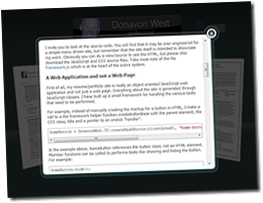
Shortly after publishing this article on my blog at blog.donavon.com, I decided that it needed to somehow be incorporated into the resume app itself. I didn't want just a static link so how could my app consume the blog post that was published on Blogger?
The good news is that blogger can publish posts in JSON format. The bad news is that Ajax can't cross domains (yes, I know about "alt=json-in-script" but what a hack). At first I thought I would simply grab a copy of the JSON feed and drop in onto my site as a static file, so I wrote the code to read and display a blog post (a simple matter of 5-10 minutes using my framework) and I was in business.
But what if the blog post changed because of a discovered typo maybe or I may even have more to say? I'm too lazy to be constantly updating my static JSON file but as a wise person once said "laziness [and porn] are the mothers of invention" (oh, that wise person happens to be Alyssa, my wife ;).
My solution? A few years back, I had written a configurable and secure HTTP proxy DLL as an HttpHandler in C#.NET. It's called RssProxy because at the time, that's all I needed to proxy. All I had to do now was create a bin directory, drop in the DLL and configure the web.config file (below).
Viola! You can now read about the making of my resume application using my resume application. I know it's not all "chicken or the egg" or "grandfather paradox" but it still kind of has that feel. :)
<rssProxy>
    <rss name="blog.rpx" url="http://blog.donavon.com/feeds/posts/default/1484428372750514936?alt=json" />
</rssProxy>
Conclusion
To those of you reading this because you are considering hiring me, thank you. Resumes are a great source of information, but I hope that reading this article has give you a better understanding of what I am capable of and my resourcefulness. If your planning to build a modern cross platform object oriented JavaScript web application, I think that you will find that I will be an invaluable resource.
16 comments:
- 洪海龙 said on November 19, 2010 at 3:51 AM ...
-
I've read some good stuff here. Definitely worth bookmarking for revisiting.
windows 7 home premium - Anonymous said on February 15, 2013 at 2:01 AM ...
-
I am grateful to found such helpful post The Making of my Resume/Portfolio Web Application . I actually increased my information after read your blog post which will be valuable for me
dissertation structure examples - Unknown said on April 23, 2014 at 4:31 AM ...
-
Replicas can even help protect fossils louis vuitton outlet. The process of making the replica replica wathces gives curators and paleontologists a chance to evaluate the original, repair damage and take steps to preserve the fossil if necessary rolex replica. Some real specimens are so fragile that displaying them in a museum would eventually cause their destruction. Museums put exact replicas on display while placing the originals gucci replica in protective storage. Transporting replicas from one museum to another is usually safer than transporting chanel replica originals -- there's less chance of losing or destroying the original specimens.
- Anonymous said on October 1, 2014 at 12:31 PM ...
-
I will be pleased to help located this sort of valuable post Your Making associated with my personal Resume/Portfolio World wide web Software. My partner and i in fact improved my personal facts right after understand your website post which will be beneficial to me.
http://www.hktopmodelescort.com/. - Unknown said on September 20, 2015 at 10:51 PM ...
-
It may be a little insect whose wings are adorned with colourful patterns but the butterfly is a symbol in itself. Romantic notions of freedom and fleeting life exude from its grace and fragility as it lives for replica longines just a few hours or several weeks. In a metaphor of the body and mind’s resurrection, the butterfly goes on an 8-stage journey on the dial of the Petite Heure Minute, 8 being Jaquet Droz’s magic number. A bed of pale pink peonies or feijoa flowers (pineapple guava) burst from the garden on the 8 ivory Grand Feu enamel dials. A 3D butterfly with a sculpted body and wings enamelled in navy, turquoise or indigo flutters above the flower bed from left to right on the dials. The hours and minutes and gold or silver-plated hands are displayed off-centre at 12 o’ clock and brought to longines replica life by the JD2653 calibre. The self-winding movement is housed in a 43mm rose or white gold case paved with 264 brilliant-cut diamonds.Fluttering with butterflies and blooming with flowers: Jaquet Droz has, as usual, brightened up 2015 with longines replica watches his signature sophisticated poetry. The expertise that the Chaux-de-Fonds watchmaker has been famous for since the 18th century has gone into the wonderfully feminine Lady 8.
- John said on March 7, 2017 at 9:28 PM ...
-
tory burch sale
nike uk
hermes bags
michael kors bags
michael kors bags
oakley sunglasses on sale
michael kors outlet online
discount oakley sunglasses
longchamps
coach outlet online
chenshanshan20170308 - Benson said on October 25, 2019 at 2:57 AM ...
-
supreme clothing
cheap jordans
christian louboutin shoes
ralph lauren uk
nike max
goyard
moncler outlet
nike react
curry 4 shoes
moncler jackets - jasonbob said on October 13, 2020 at 3:57 AM ...
-
yeezy boost 350
longchamp bags
goyard wallet
adidas yeezy
supreme hoodie
supreme new york
moncler
longchamp handbags
off white clothing
supreme clothing - besayi said on June 20, 2021 at 12:53 PM ...
-
OnlineUSA
Onla
ogrt
online tech experts
online tech support usa
onlada
online tech experts usa
Quickbooks Support Number
roadrunner tech support phone number
roadr
roypa
roaga
yaholmber
yahoo customer service number
yahoo tech support usa
yahoo tech support canada
yahoo technical support phone number
Windort
gmber
gmail tech support phone number
gmfa
gmaila
gmail customer support number
gmail tech support phone number
tech support for gmail
gmail tech support usa
gmail tech support canada
gmailyer
msnber
msn6ber
msnja
msnada
Hotma5ort
hotmail tech support phone number
hotmaitr
hoza
hothada - besayi said on June 20, 2021 at 1:23 PM ...
-
OnaA
Onlia
online tech support
online tech experts
on0a
onlada
online tech experts usa
Quicr
roadr
rimber
r5a
roa6
yah9r
yaho4
yahoo tech support usa
xa
yaho1
Wipport
gxber
gmail tech support phone number
g4
gmail tech support canada
gmsr
gmai
t0l
gm7
gmada
gmjr
msr
er
msn tech support usa
5nada
Hotmail Tech Support
hotxumber
hr
hofa
hp - besayi said on June 20, 2021 at 1:33 PM ...
-
OiSA
Ona
online tech support
online tech experts
online tech support usa
nada
online tech experts usa
Qui8er
roadrer
roadrunner customer service number
roadrunner tech support usa
roadrunner tech support canada
yahmber
yvmber
lusa
yahool
yaber
Windowurt
gmail customer service phone number
gmail tech support phone number
gmail tech support usa
gmail tech support canada
gmail customer support number
gmail tech support phone number
tech support for gmail
gmsa
gmaida
ghber
msn customer service phone number
msber
msn tech support usa
msn tech support canada
Hpport
hotmber
hohber
hotmail tech support usa
hooada - besayi said on June 20, 2021 at 1:56 PM ...
-
OSA
Onljda
onlt
online tech experts
online tech support usa
online tech support canada
online tech experts usa
Quickbooks Support Number
roadrunner tech support phone number
roadrunner customer service number
roadrunner tech support usa
roauda
yahoo mail support phone number
yahoo customer service number
yahoo tech support usa
yahoo tech support canada
yahoo technical support phone number
Windows Live Mail Tech Support
gmar
gmr
gmtsa
gmaa
gmr
gm2er
tedl
gmai
gmail tech support canada
gmer
mster
mshr
mssa
anada
Hrt
ho2ber
ho8mber
hota
hada - besayi said on June 20, 2021 at 2:06 PM ...
-
OA
Online Tech Support in Canada
online tech support
online tech experts
onla
online tech support canada
online tech experts usa
Quickbooks Support Number
roadrunner tech support phone number
roadber
roysa
roadrunner tech support canada
yah5mber
yahoo customer service number
sa
yahoo tech support canada
yahoo technical support phone number
Windows Live Mail Tech Support
gmr
gmr
gm4a
g5a
ger
ger
til
gma
g
gm8er
msr
msn tech support number
ms2sa
msn tech support canada
Hotort
hotr
hr
hotm
hua - besayi said on June 20, 2021 at 2:16 PM ...
-
O6
On1
online tech support
online tech experts
online tech support usa
online tech support canada
online tech experts usa
Quickbooks Support Number
roadrunner tech support phone number
roadrunner customer service number
ra
roaa
yr
ye
ya
yahoo tech support canada
yahoo technical support phone number
Windows Live Mail Tech Support
gmail customer service phone number
gmwr
gms
gma
gmak
gmail tech support phone number
tech support for gmail
gma9a
gmail tech support canada
gmtr
msgber
1er
msn tech support usa
msba
Ho
hotmail tech support phone number
hotmail customer service number
hotmail tech support usa
hx - besayi said on June 20, 2021 at 2:27 PM ...
-
OaA
Onuanada
opport
onlinrts
pportua
online tech support canada
online tech experts usa
Quickbooks Support Number
roy
rocadrunne
ra
xnada
yah8ber
ya4ber
yah4sa
yahoo4
yahuber
Windows Live Mail Tech Support
gmail customer service phone number
gm22er
f3a
ha
gmail customer support number
gmail tech support phone number
tech support for gmail
gmail tech support usa
gmail tech support cana4da
gm2r
msnaber
msn tech support number
msn tech support usa
msn tech support canada
Hrort
hotmail tech support phone number
hotmail customer service number
hotsa
8da - Emma James said on November 9, 2021 at 11:40 AM ...
-
Coupons Experts is simply an internet advertising service that uses direct marketing to make it easier for customers to purchase. Coupons Experts is much more than just discounts and deals. Uniplaces Coupon Codes
Post a Comment